Pangu Terminal
User Manual
A resource optimization tool for Wuthering Waves. Track material requirements, reconcile inventory against plans, and get farming recommendations.
All in one place!
01 Introduction
Pangu Terminal is a web-based planning tool for Wuthering Waves players. It calculates the exact materials needed to level up Resonators and Weapons, cross-references them against your inventory, and tells you exactly what to farm and where.
No installation required. The web app is live at:
https://panguterminal.ambalong.dev
What You Can Do
- Create leveling plans for Resonators and Weapons
- Track your material inventory
- View a reconciliation breakdown: what you need, what you own, and what you can synthesize
- Get Waveplate-optimized farming routes
- Get AI-generated farming recommendations via the Farming Advisor
- Access all data programmatically via the REST API
02 Getting Started
Account Creation
Visit https://panguterminal.ambalong.dev and click Create Free Account at the bottom of the landing page. Choose Continue with Google or Continue with Discord. There is no email or password to enter, and Pangu Terminal does not ask either provider for your email address; you get a random username such as rover-4821, which you can change under Account Settings (3 to 16 lowercase letters, numbers, dots, dashes or underscores). Signing in a second time with the same provider returns you to the same account.
You can link the other provider, or unlink one (as long as another way to sign in remains), under Sign-in methods in Account Settings. Accounts created before this change keep signing in with their email and password through Sign in with email on the sign-in page. If you started as a guest, your guest plans are moved into your account when you sign in.
New accounts open on the dashboard with a short Get started checklist: set your SOL3 phase, create a plan, and enter what you own. Each step ticks itself off, and you can hide the card with Hide.
Guest Mode
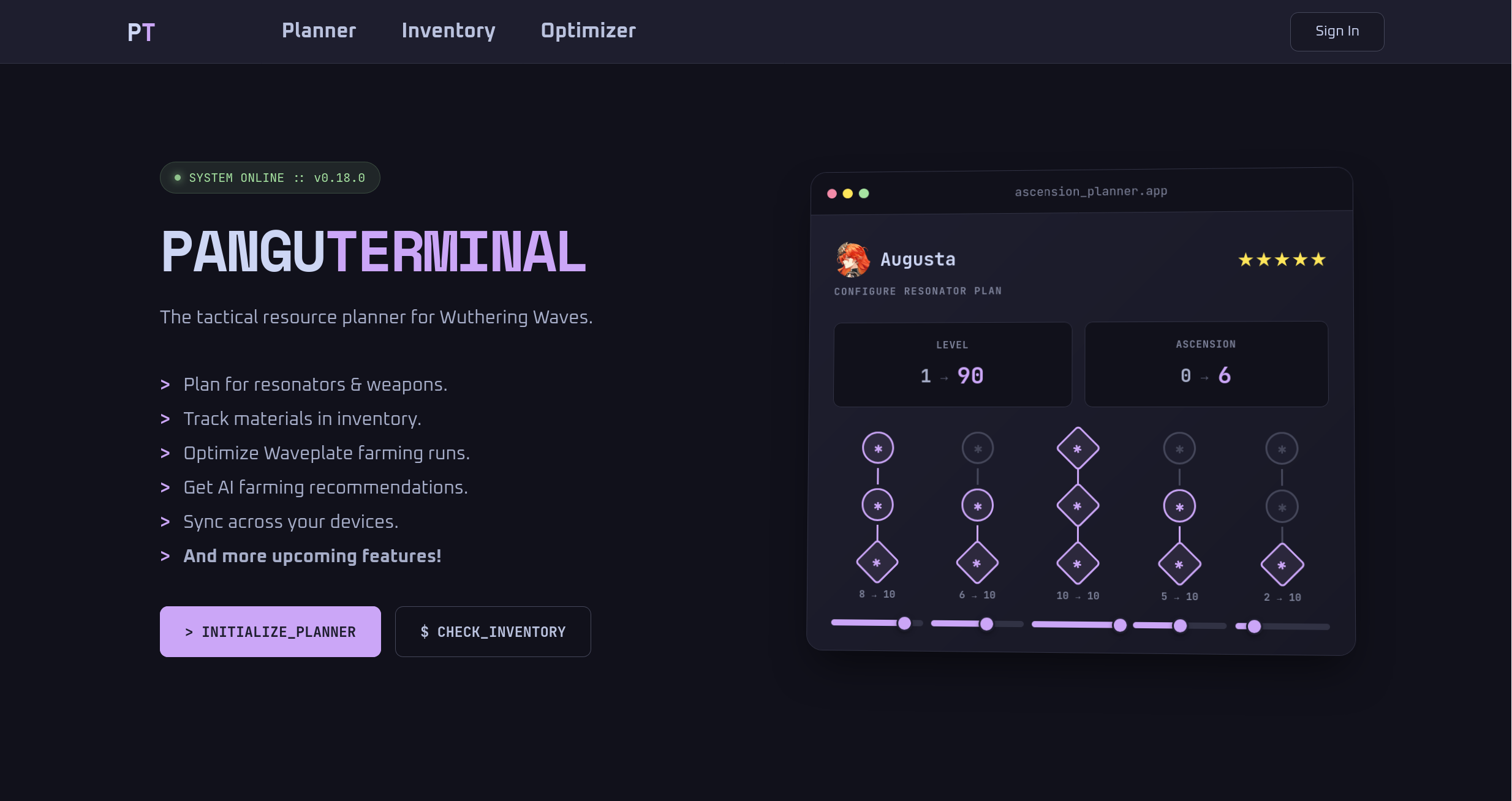
You can explore Pangu Terminal without creating an account. Click Initialize Planner or Continue as Guest on the landing page to get started immediately. Guest plans are stored server-side and tied to a token in your browser cookie. Your data will be lost if you clear your cookies or switch to a different browser. Create an account to persist your plans and inventory across devices.
Generating an API Key
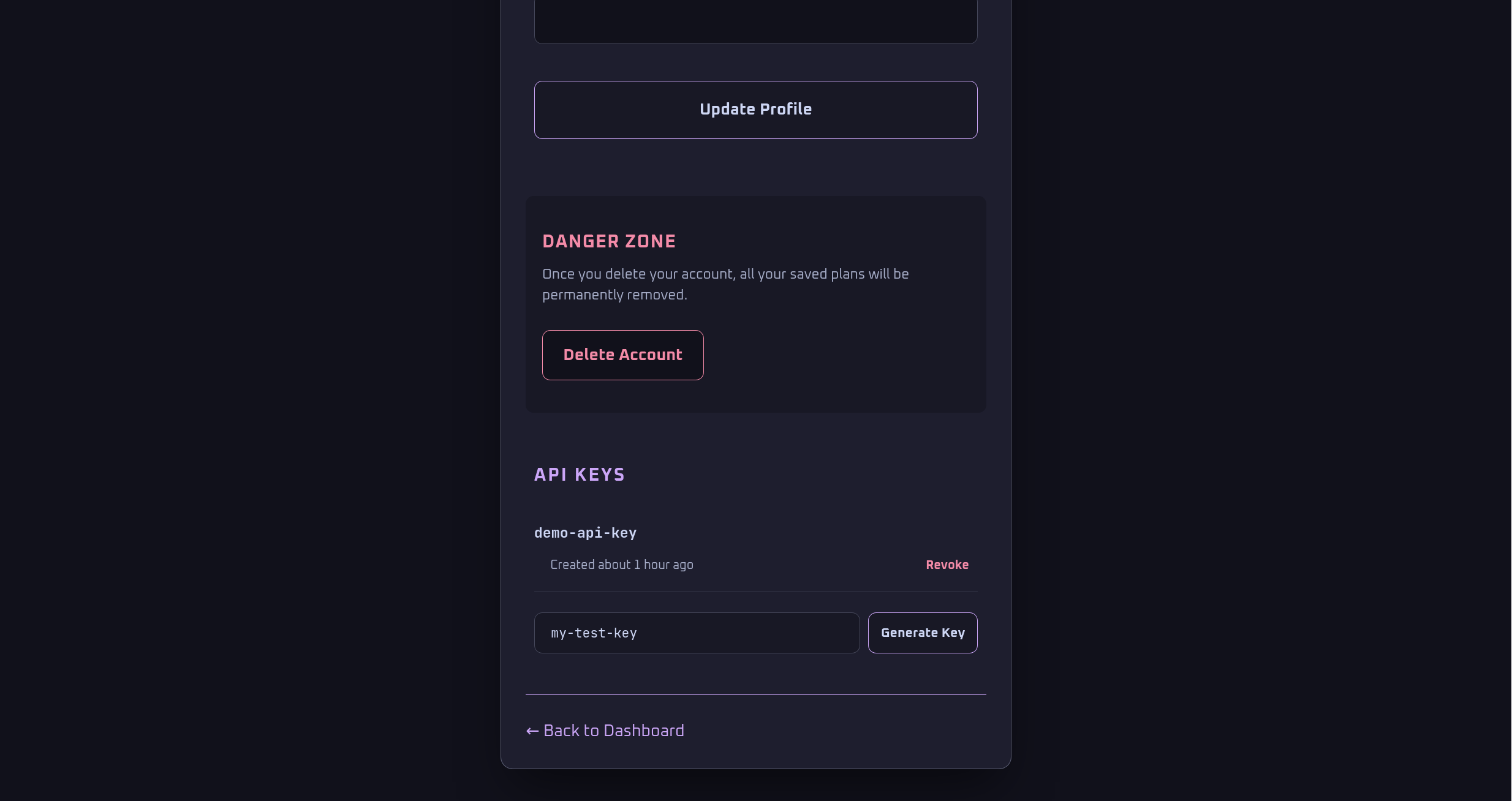
API keys allow programmatic access to your plans and inventory data. To generate one:
- Go to Settings > API Keys
- Enter a unique name
- Click Generate Key
- Copy the key immediately, it will not be shown again
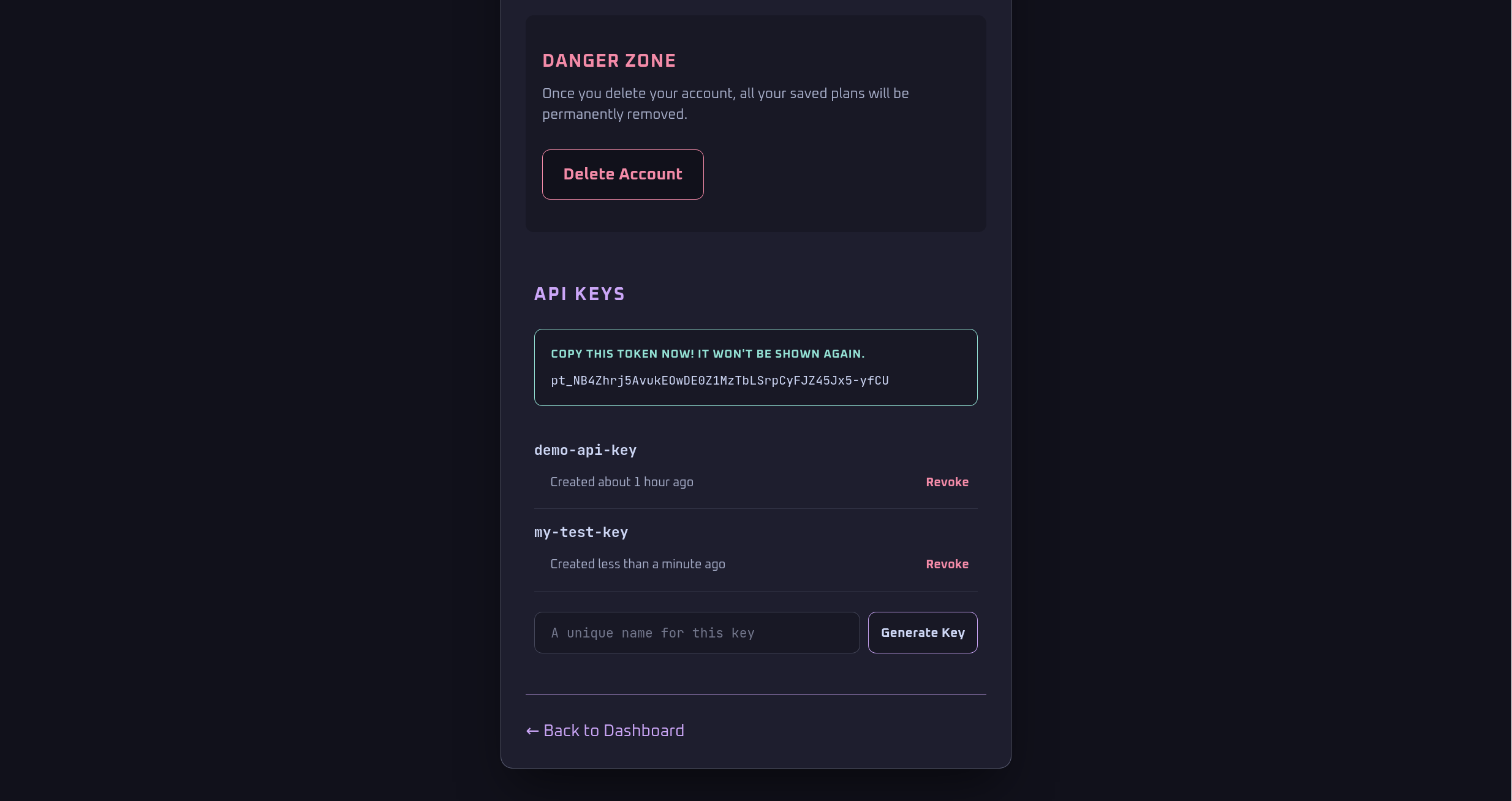
The token is shown once immediately after generation. Copy it before leaving the page.
03 Creating a Plan
A plan calculates the total materials needed to reach your leveling targets for a Resonator or Weapon.
Resonator Plans
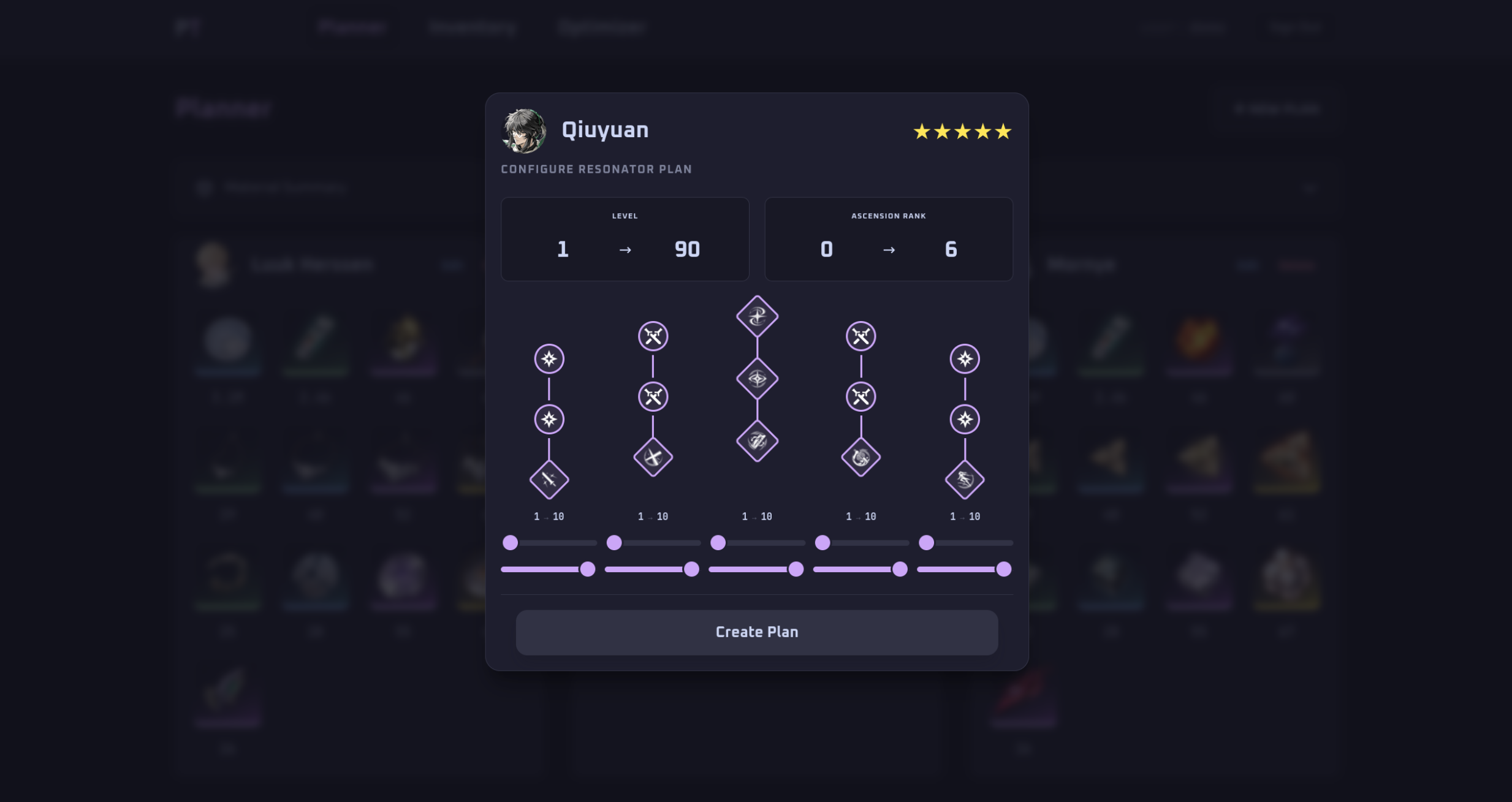
From the Planner page, click New Plan > Resonator. Select the Resonator, then configure your current and target levels, ascension rank, skill levels, and Forte node upgrades.
Weapon Plans
Click New Plan > Weapon. Select the weapon, then set current and target level and ascension rank. Weapons do not have skill or forte configuration.
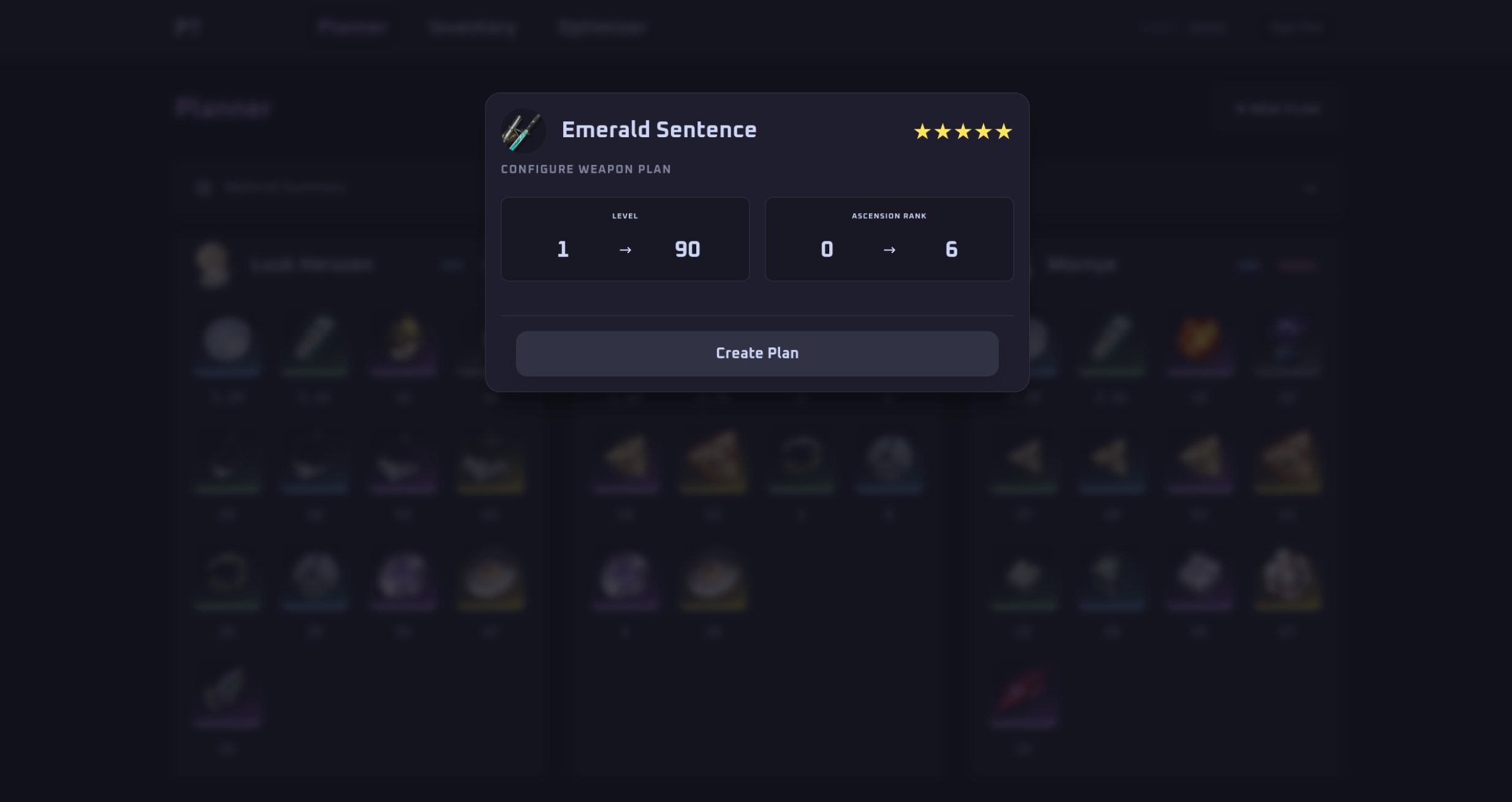
Click Create Plan. The plan appears in your dashboard with a full material requirements summary.
04 Managing Inventory
The Inventory page lets you record how many of each material you currently own. Pangu Terminal uses this data to calculate what you still need to farm.
Updating Quantities
Click on any material card to open an edit modal. Enter the quantity you own and confirm to save. Materials are grouped by type: Credits, EXP Potions, Ascension Materials, and so on.
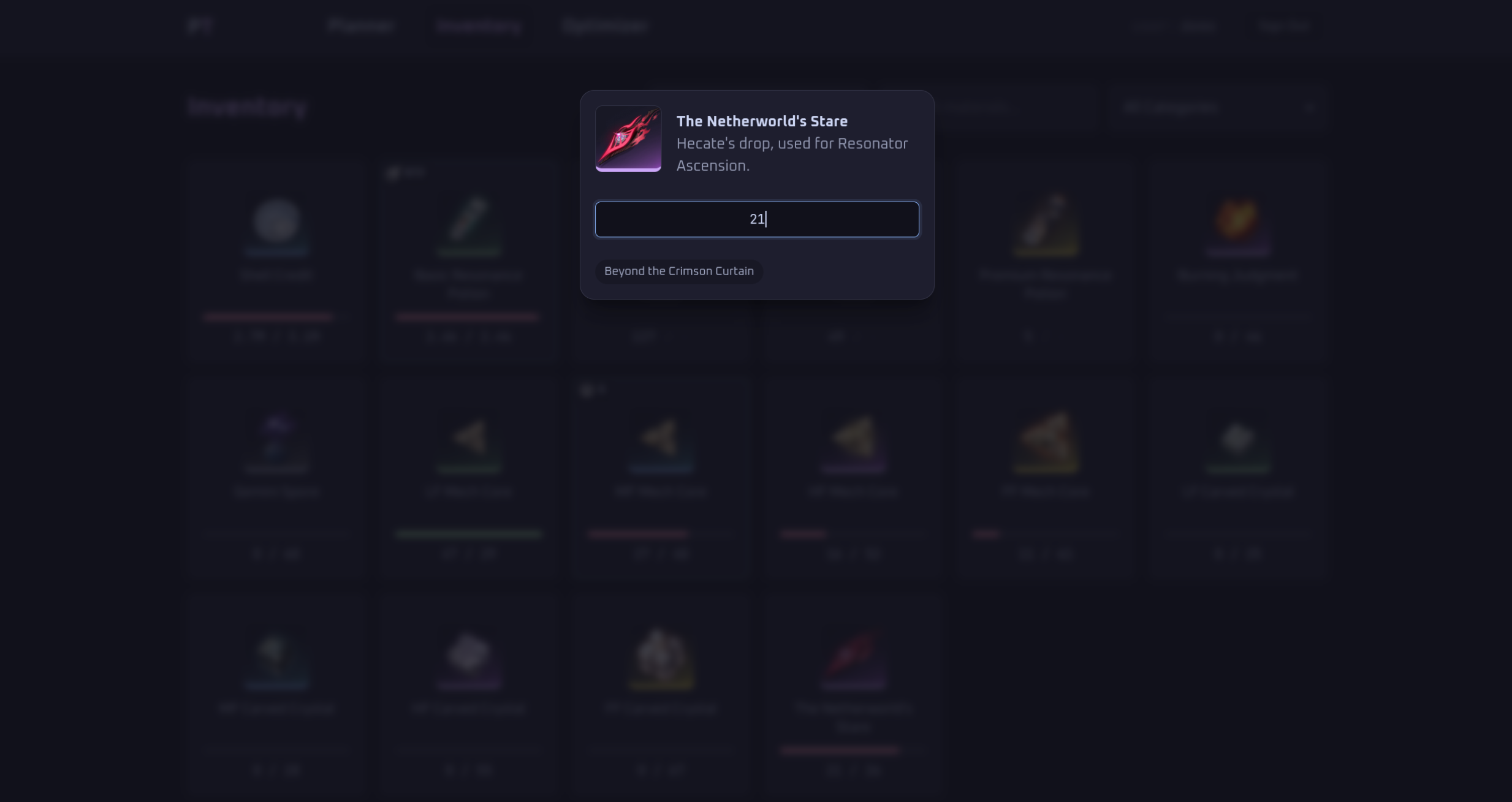
Edit modal showing item description and quantity input field.
Sharing a plan
Click Share on a plan, then Create link, and copy the link to post it anywhere. Anyone with the link sees that plan and its material totals, with no name, email or inventory, and it is not listed by search engines. Plans you share show a Shared badge. Stop sharing turns the link off for good, and deleting the plan does the same.
Plan priority
On the Planner, each plan shows its rank (#1 is farmed first) and has up and down arrows to move it. New plans go to the end. When you optimize two or more plans, the Optimizer lists them in this order with the extra farming each one adds and how long everything up to it takes to regenerate, and the Farming Advisor favors materials the earlier plans need.
Quick entry
Open Quick entry from the Inventory page (or from the checklist on your dashboard) to type your quantities in one go. It lists the materials your plans need and how many they need; press Enter or the down arrow to move to the next one, Shift+Enter or the up arrow to go back, and Save changes when done. Numbers like 1,200 and 25k work. If an entry is not a number, nothing is saved and the entries to fix are listed. Show every material lists the full catalogue.
Import and export
Use Export CSV or Export JSON at the top of the Inventory page to download everything you have recorded, one line per material. Edit the quantities in a spreadsheet or text editor, then use Import to upload the file (or paste its contents). Materials are matched by their key or name, only quantities change, and anything the file does not mention is left alone. Rows that cannot be used, such as an unknown material or a quantity that is not a whole number, are skipped and listed so you can fix them. The JSON uses the same shape as the API's inventory.
05 Reconciliation View
The Reconciliation view is integrated into the Inventory page. Select a plan from the plan dropdown at the top to filter the inventory against that plan's requirements.
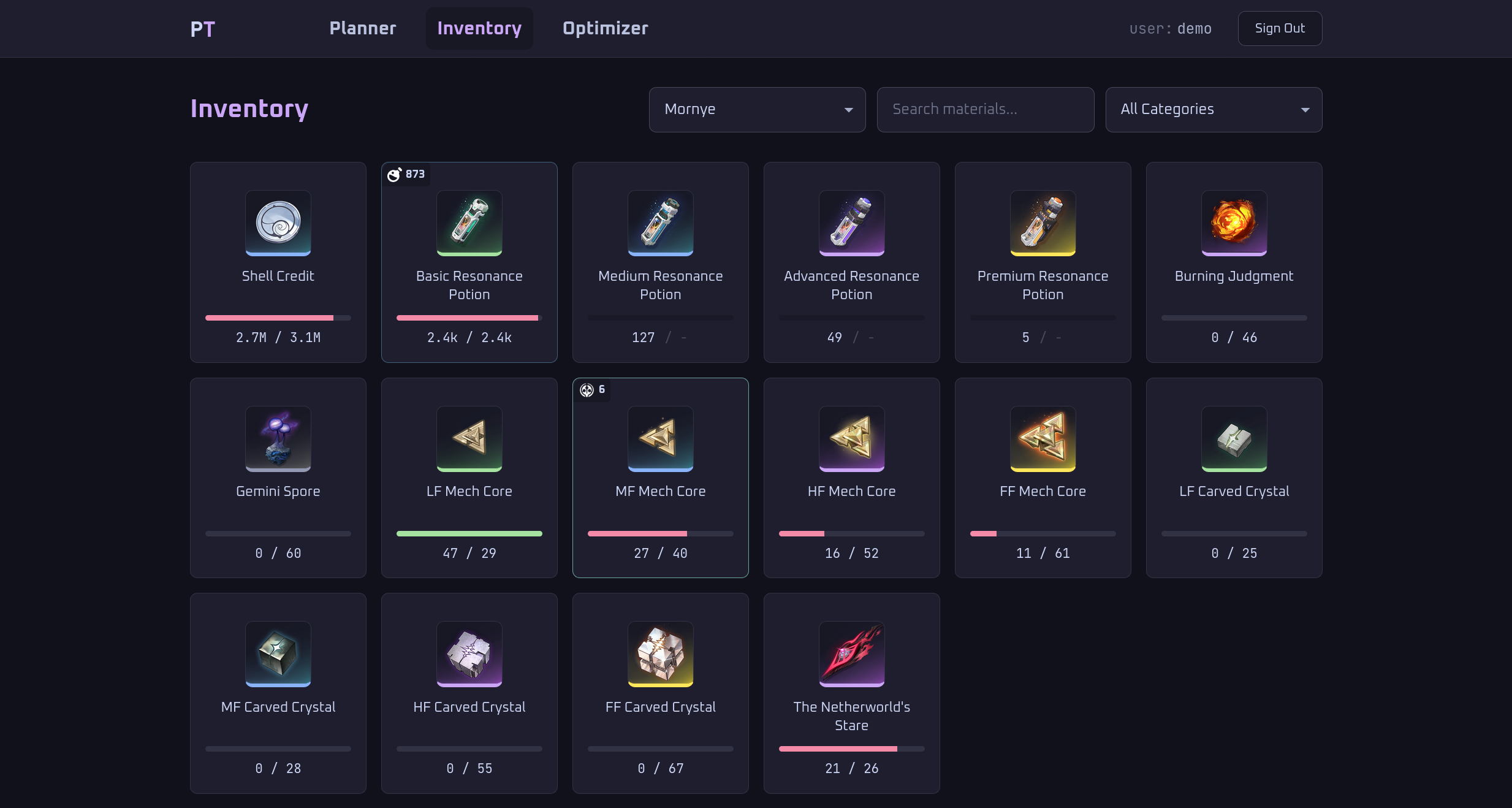
Inventory page with Mornye selected, materials filtered to plan requirements
Reading the Material Cards
Each card shows your current quantity on the left and the plan requirement on the right, separated by a slash. The progress bar reflects how much of the requirement is covered.
- A green bar means the requirement is fully met
- A red bar means you have a deficit
- A
-on the right means the material is not required by the selected plan
Synthesis Indicators
A gear badge on a material card means you have enough surplus lower-tier materials to synthesize additional units via 3:1 conversion. The number shows how many units are craftable. You do not need to farm those units.
06 Waveplate Optimizer
The Waveplate Optimizer estimates how many runs and Waveplates it will take to cover your material deficits, broken down by farming source.
You must set your SOL3 phase before using the Optimizer. Go to the Dashboard and set your SOL3 phase using the selector in the right sidebar. This determines which drop rate data is used for estimates.
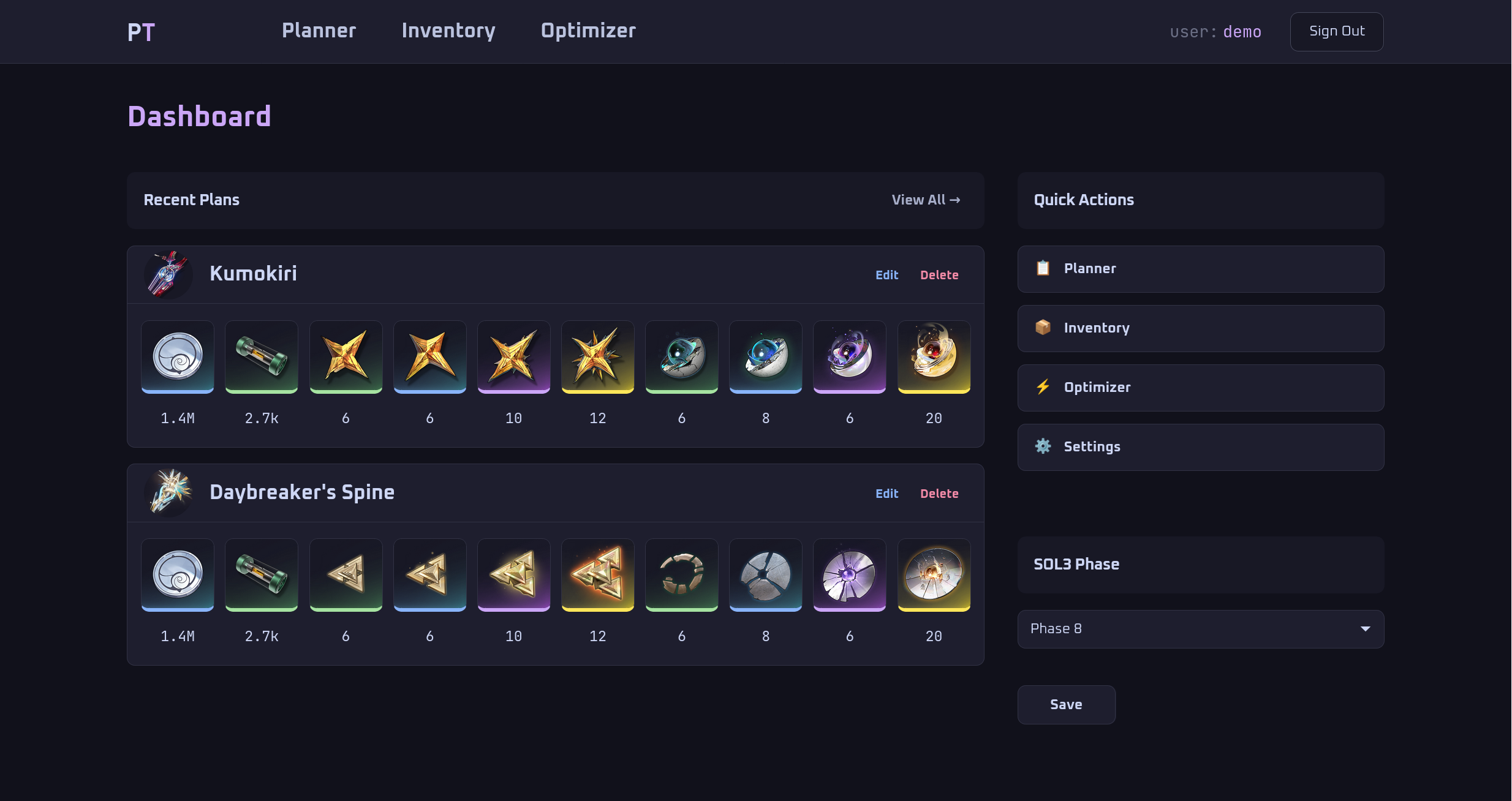
SOL3 phase selector on the Dashboard sidebar.
Running the Optimizer
Open the Optimizer page from the navbar, choose what to optimize, and click Run Optimizer. Choose Use all plans to answer "what should I farm next for everything I want" (plans you create later are included automatically), or tick just the plans you care about and click Use selected plans. The materials of the chosen plans are added together before your inventory is subtracted, so a material needed by two plans is farmed once. The results show how long the Waveplates you still need take to regenerate (one every 6 minutes, 240 a day); type how many you have now to subtract them first. Your Waveplate bar holds 240, so spend it before it overflows. The summary row at the top shows estimated total Waveplate cost, total runs needed, and how many days that represents at 240 Waveplates per day.
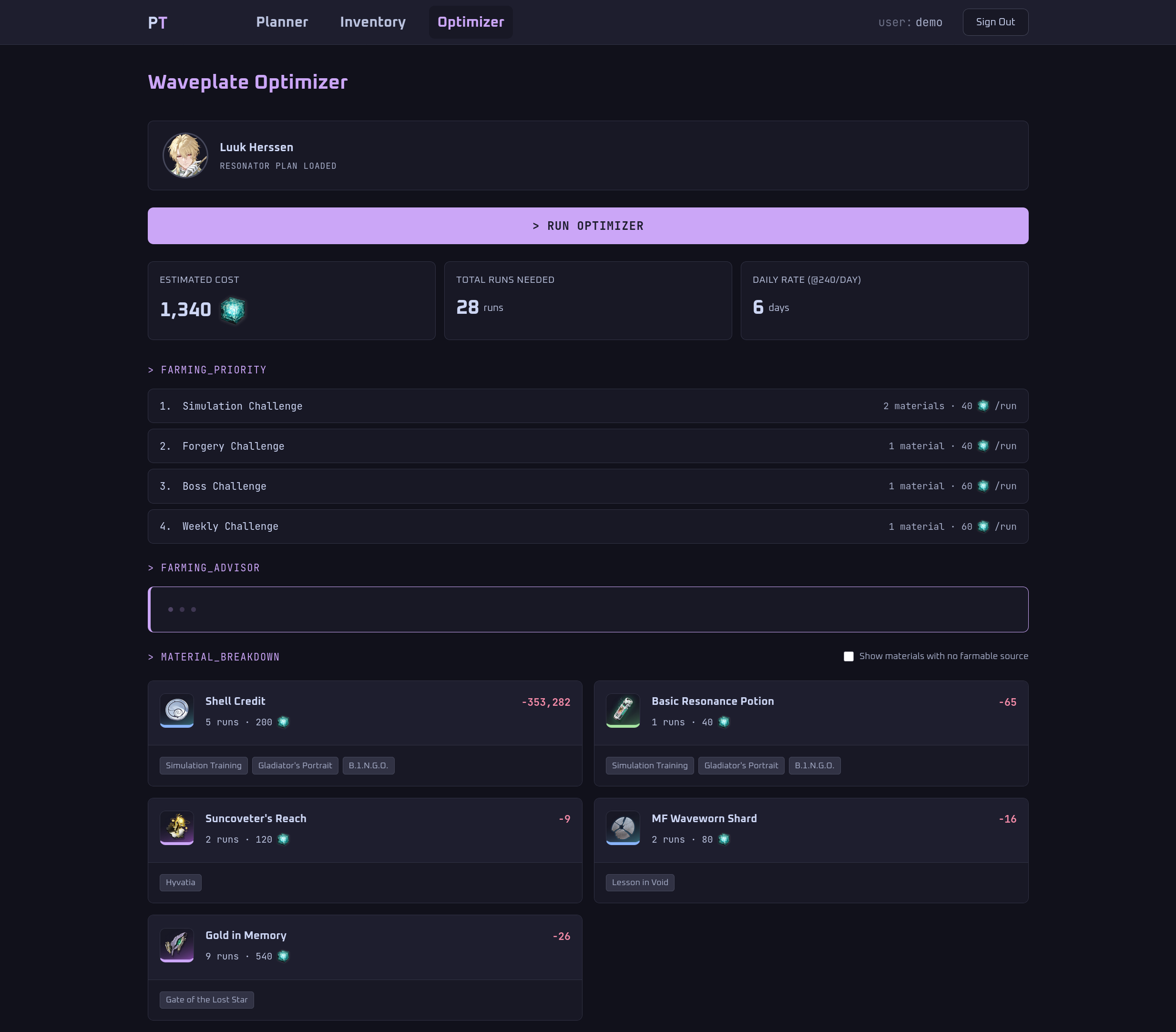
Waveplate Optimizer with farming priority ranking and material breakdown for Luuk Herssen
Farming Priority
The Farming Priority section ranks source types by how many of your deficit materials each one covers. Start with the source at the top to cover the most ground per Waveplate spent. Each row shows the source type, how many deficit materials it covers, and its Waveplate cost per run.
Material Breakdown
Each material card shows the deficit quantity in red, estimated runs, Waveplate cost, and the specific location chips where the material drops. Materials that can only be obtained through open-world hunting have no Waveplate source and are excluded unless you toggle Show materials with no farmable source.
07 Farming Advisor
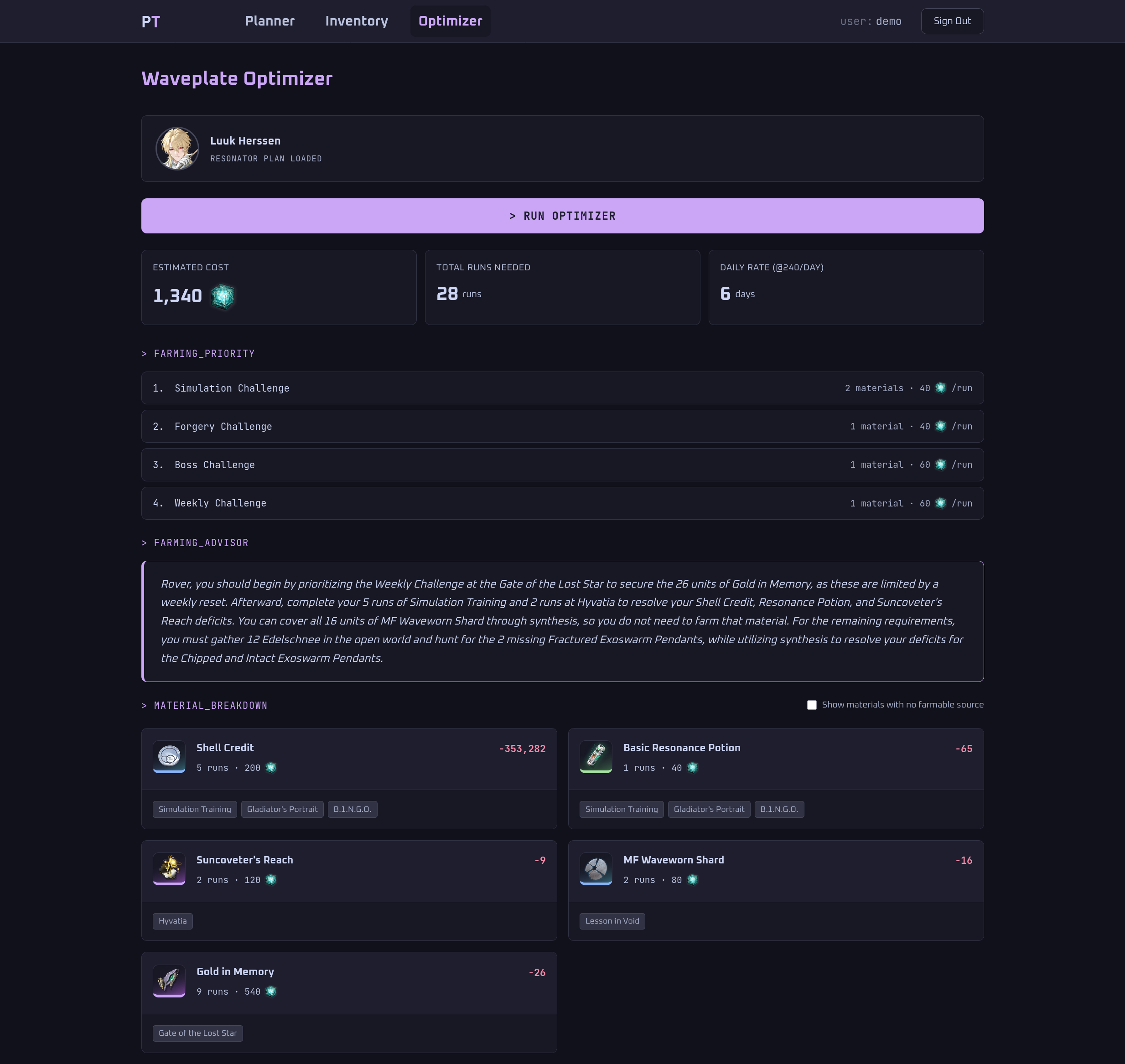
The Farming Advisor uses an AI model to generate a plain-language farming recommendation based on your current deficits, synthesis opportunities, and Waveplate efficiency ranking.
How It Works
The Farming Advisor appears on the Waveplate Optimizer page below the farming priority ranking. It loads asynchronously via Turbo Frame, so optimizer results render immediately while the AI recommendation loads in the background. The app sends your reconciliation data and optimizer results to the AI model, which returns a recommendation naming the highest-priority source to farm first and why.
The Advisor accounts for:
- Materials that synthesis fully or partially covers
- Weekly Challenge materials, which have limited runs per week and should be prioritized
- Open-world materials (enemy drops, flowers) that have no Waveplate source
08 API Access
Pangu Terminal exposes a versioned REST API at https://panguterminal.ambalong.dev/api/v1. All endpoints require a bearer token.
Authorization: Bearer <your_api_token>Available Endpoints
| Method | Endpoint | Description |
|---|---|---|
GET | /api/v1/plans | List all plans |
POST | /api/v1/plans | Create a new plan |
GET | /api/v1/plans/:id/reconciliation | Reconciliation for a plan |
GET | /api/v1/plans/:id/waveplate-summary | Waveplate optimizer data |
GET | /api/v1/inventory | Full inventory |
GET | /api/v1/materials | All materials with sources |
PATCH | /api/v1/profile | Set SOL3 phase |
Rate limiting is set at 60 requests per minute per API key. Full API documentation is available in the README on GitHub.
Reconciliation Response Fields
The /api/v1/plans/:id/reconciliation endpoint returns a per-material breakdown with the following fields:
| Field | Meaning |
|---|---|
needed | Total quantity required by the plan |
owned | Your current inventory quantity |
satisfied | Effective quantity after EXP cross-rarity equivalence is applied |
deficit | Remaining shortfall after satisfaction is accounted for |
fulfilled | true if the requirement is fully covered |
higher_rarity_contributed | true if a higher rarity EXP equivalent counted toward this requirement |
can_synthesize | Additional units craftable from surplus lower-tier materials via 3:1 synthesis |
Waveplate Summary Response Fields
The /api/v1/plans/:id/waveplate-summary endpoint returns materials with an active deficit and at least one farmable Waveplate source:
| Field | Meaning |
|---|---|
deficit | How much of the material you still need |
source_type | Category of farming location (e.g. forgery_challenge, simulation_challenge) |
sources | Named locations where this material drops |
estimated_runs | Approximate runs needed to cover the deficit at your SOL3 phase |
waveplate_cost | Total Waveplate cost to cover the deficit |
09 FAQ / Troubleshooting
Bearer <token>. If the token was recently revoked, generate a new one under Settings > API Keys.